Apps
Custom interfaces for the people doing the work
Simple screens on top of complex systems.
Your systems hold everything. Most people only need part of it. We design interfaces, portals, and workspaces that give each person the part they need—on top of monday.com and the systems around it.
WO-1044 · Shaft, turned
- Request details
- Before you submit
- Subitems
The system has everything. That's the problem.
The data is all there. The way in wasn't designed for them.
We design the way in.
Show what's needed, when it's needed.
Your field team
What they get:The whole board the office built
What they need:The name, the address and the phone number
Your sales team
What they get:Every production detail
What they need:The delivery date, and whether anything is wrong
Your field team sees 3 of 14 fields: Customer, Site address and Contact phone.
What can we build?
- Custom user interfaces Turn complex systems and workflows into simple, intuitive experiences built for the people actually doing the work.
- Portals & workspaces Give employees, customers, vendors, or partners a tailored place to interact with the information and processes they need.
- Role-based views Each role sees the fields, actions, and information that apply to it—and nothing it has to skip past.
- Guided intake Forms that ask for information in the order people think about it, and check it before it reaches your boards.
Requests arriving from everywhere become one organised thread, in a client portal built on monday.com.
Mobile & field interfaces
Screens built for phones and tablets, for teams who work away from a desk.
- Away from a desk A mobile interface designed for employees working away from a desk, in Better Item Views Mobile or a mobile portal built for the field.
- On their phones or tablets Operational teams get the information and workflows they need directly from their phones or tablets.
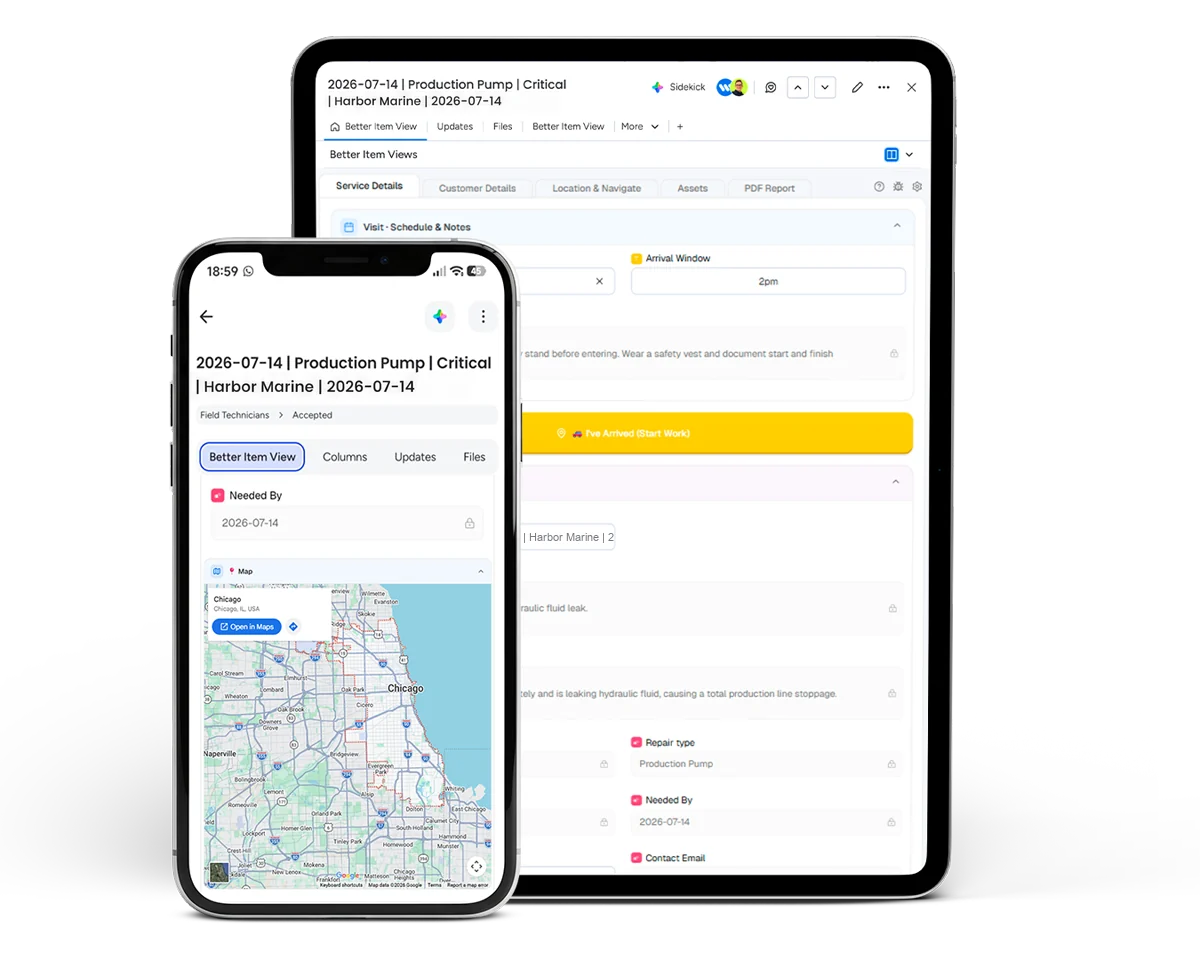
Illustration: a field-service work order on a phone and a tablet, in Better Item Views, our monday.com app. Customer portals
Let customers submit requests, check progress, and share files without an email thread.
- Submit requests
- Check progress
- Access relevant information
- Share files
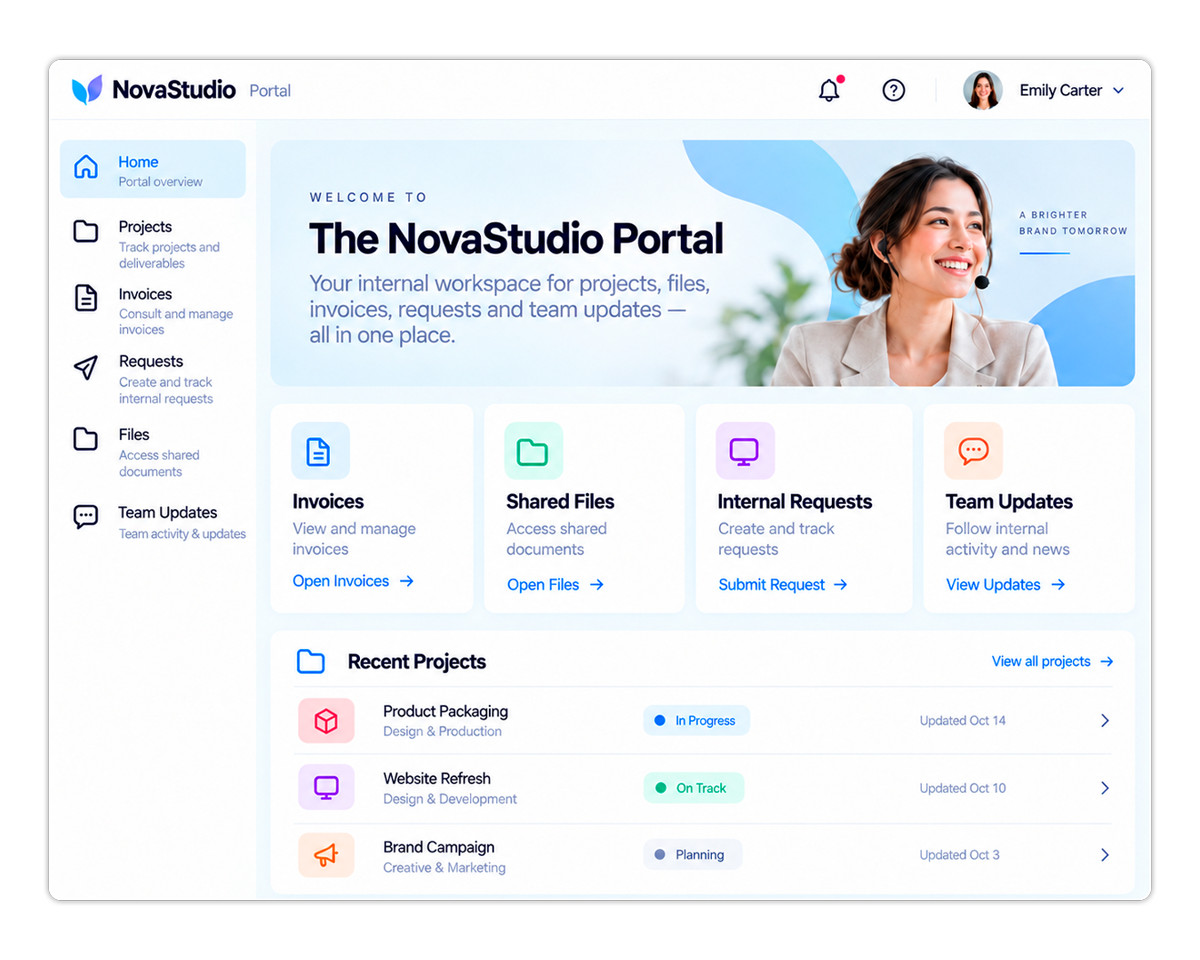
Illustration: a customer portal built on monday.com—requests, progress, files and updates in one place.
:quality(80))
:quality(80))
From idea to application.
You don't need to come to us with a technical specification. Come to us with the problem. We combine UX/UI design, application development, monday.com, APIs, automation, integrations, and AI to turn business requirements into applications people actually want to use.
-
Discover
For an interface, discovery means working with the people who'll use it. We see the system the way they do, workarounds included, and design the screens from there.
-
Design
-
Prototype
-
Build
-
Integrate
-
Launch
Designed from the user in.
It's tempting to start with the data and decide what to show. We start with the person and decide what they need: what they open the screen to do, and what they never look at. The data stays in monday.com and the systems behind it. The interface is the part your people touch.
Dispatch, job costing, and field updates were scattered across spreadsheets. Worktables gave us one board for the whole fleet — dispatch finally matches what crews see in the field.
Questions about custom interfaces
Who are custom interfaces for?
For the people who only need part of your system: a field team that needs the name, the address and the phone number, or a sales team that needs the delivery date and whether anything is wrong.
Do you build for phones and tablets?
Yes. Mobile and field interfaces are screens built for phones and tablets, for teams who work away from a desk.
Can customers use a portal instead of email?
Yes. Customer portals let customers submit requests, check progress, and share files without an email thread.
How do you design an interface?
With the people who will use it. We see the system the way they do, workarounds included, and design the screens from there.
Where does the data live?
The data stays in monday.com and the systems behind it. The interface is the part your people touch.
Who needs a better way in?
The people struggling with your system aren't the problem. The way in is. Let's design a better one.